About the App
Introducing TaskMaster: Your Ultimate Productivity Companion
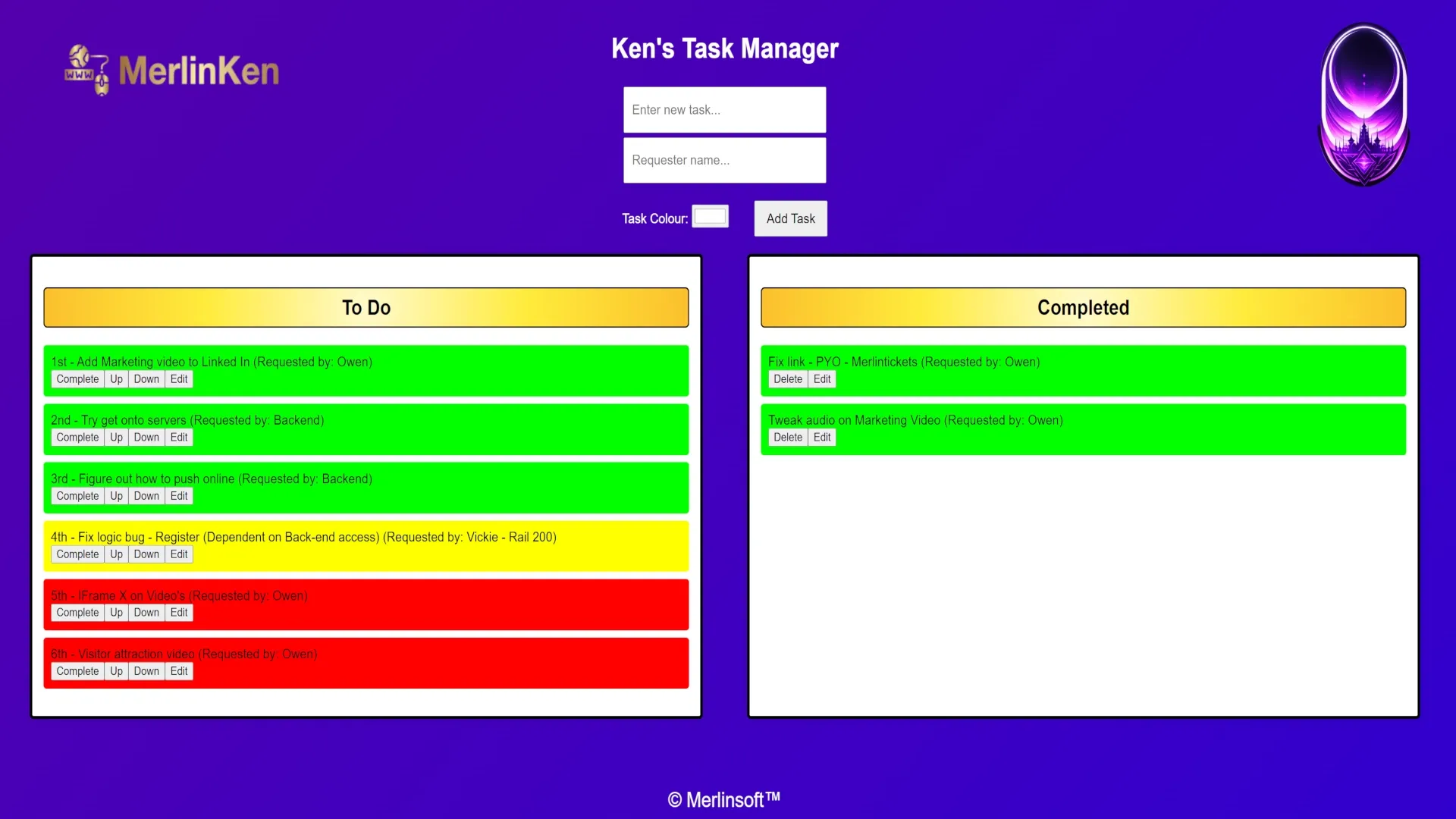
Task Manager is a sleek, web-based productivity tool built to transform how you manage tasks, from chaotic lists to crystal-clear priorities. Born out of necessity during our Monday dev meetings and Friday office gatherings, this innovative tool was developed to streamline the process of tracking and organising my weekly ticket jobs.
From Idea to Reality
The genesis of TaskM Manager was simple yet impactful. During our weekly zoom meetings, I found myself struggling to keep everyone informed about my ongoing projects. The traditional pen-and-paper method proved cumbersome and time-consuming. It was then that inspiration struck, leading to the birth of this intuitive task management app. After all, I’m a coder — and coders build solutions.
A Clean and Simple Interface
Task Manager's web-based UI offers an elegant, user-friendly interface that’s easy on the eyes. The layout is divided into two columns: one for live tasks (labelled "To Do") and another for completed tasks. As you complete a task, simply click the 'Completed' button, and watch it seamlessly transition to the right column.
Enhanced Task Management
One of Task Manager's most notable features is its ability to reorder tasks within each column. By clicking the 'Move Up' or 'Move Down' buttons, you can effortlessly prioritise your tasks, ensuring that what needs immediate attention gets done first.
Clear Communication and Clarity
To make task management crystal clear, I implemented a sophisticated colour-coding system. Green marks high-priority tasks — the ones that demand immediate attention. Yellow is reserved for mid-priority tasks, while red indicates tasks that can wait until all other tasks are completed.
Personalised Task Creation
Task Manager empowers you to take control of your workflow with its dynamic task creation features. Simply enter the task name in the designated field and assign a requester name. This not only helps track who's requested the job, but also ensures accountability within your team.
Customisation at Your Fingertips
For added flexibility, Task Manager allows users to customise their tasks by assigning specific colours of there choosing. This personal touch lets users choose colours that suit their preferences, making it easier to visually distinguish between task types. This can then aid visually distinction between different types of work.
Effortless Task Population
One click on ‘Add Task’ and your new entry appears instantly in the “To Do” column — no fuss, no friction. This makes it incredibly easy to keep track of everything for your week.
An Iconic Logo and Dynamic Background
Task Manager's visual identity is complemented by an eye-catching logo that perfectly encapsulates its essence. The app features a dynamic gradient background that animates as you interact with the interface, adding an element of fun and visual interest to every task you manage.
“Task Manager isn’t just a tool — it’s how I stay ahead, stay clear, and stay kind to my future self.”